A Pomodoro that builds something
Start a 25-minute Pomodoro and your pet builds a sandcastle, a book tower or a coffee, piece by piece. It's finished the moment your timer ends.

Meet Companion: plush desktop pets that live on your Mac, remind you to drink water and stretch, and keep you company all day.
Good morning! Ready to tackle the day?
A water reminder on the Dock, a sandcastle that's done the moment your timer is, and the whole crew saying hi. Sound on.
The crew
Original plush characters in two families, each one cheering on a part of your day. Say hi to any of them.
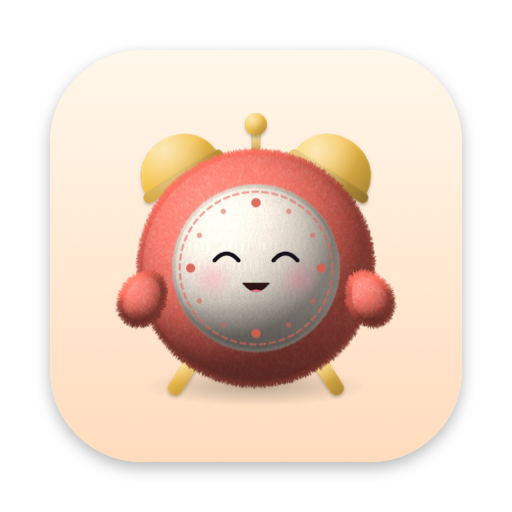
Tick
Alarm clock
Drip
Water droplet
Bao
Steamed bun
Spike
Potted cactus
Wick
Pillar candle
Jot
Sticky note
Hum
Cathedral radio
Penny
Gumball machine
Tizzy
Spinning top
Hoot
Night owl
Biscuit
Hamster
Lumi
Axolotl
Bloop
Moon jellyfish
Pinch
Blue crab
Mosey
Snail
Nimbus
Cloud lamb
Digby
Star-nosed mole
Set your schedule once. Your pet greets you, reminds you to drink water and stretch, calls lunch and tells you when to log off.
9:00 AM
Your pet says hello when your shift starts and already knows when lunch and wrap-up are coming.
Click your pet and a quick menu pops open. Focus timer, soundscapes, notes, games and treats all live there.
Start a 25-minute Pomodoro and your pet builds a sandcastle, a book tower or a coffee, piece by piece. It's finished the moment your timer ends.
Every few minutes it strolls along the Dock, then comes home. With Pro it also hangs from the menu bar, perches on the screen's edge and hops onto your window.
Stroke Nimbus back and forth with your pointer.


Lo-fi beats made right on your Mac, 15 minutes a day for free. Pro adds rain, café and brown noise, as long as you like. It grooves along to Apple Music and Spotify too.

Water, stretches and focus pay out coins. Spend them on cookies, cupcakes and hats.

Hold ⌃⌥V and your pet holds up your last three copies. Press 1, 2 or 3 to copy one back. Pro keeps nine and pastes for you.
Low battery brings sleepy eyes and a nudge to plug in. Running hot? Out comes a tiny electric fan.

Biscuit
Make it yours
Three colors and the plush finish come free, plus a hat shop you pay for with healthy-habit coins. Pro unlocks all nine colors, every fur, every hat and the Pro Crown.
When a holiday season starts, your pet puts on that holiday's hat all by itself and wishes you a happy one on the day. Every hat is yours to keep.
Each pet is painted once, then animated by Core Animation. It naps when you step away. Your data stays on your Mac.
Start with Tick, Drip and Bao and the full focus timer. Go Pro for the whole crew.
$0forever
$19.99a year, about $1.66 a month
Yes. The free app is complete: Tick, Drip and Bao, every focus timer, water and stand-up reminders, Dock walks, the games and the coin shop. Pro adds the rest of the crew and extra tools for $3.99 a month (3-day free trial), $19.99 a year (7-day free trial) or $49.99 once. Subscriptions are managed in your App Store account.
Both. Start a 25-minute Pomodoro and your pet builds a sandcastle, a book tower or a coffee while you work, then offers you a break and a quick game. Water, stretch and eye-rest nudges keep coming through the day, and your pet acts each one out.
It sits on top of your Dock and only wanders when nothing else is going on. Turn on click-through so clicks pass right through it, press ⌘⇧C to hide it, or tell it to stay put.
No. While it animates, it uses about 0.1% of your CPU and around 20 MB of memory. When you step away or lock your screen, it naps and its CPU use drops to zero.
Reminders wait in a Quiet Queue during Focus modes, full-screen apps and presentations, then show up when you're back. Nothing piles up.
No. There's no account and no analytics. Your settings, notes and coins stay in a folder on your Mac. The only things that go online are the weather, if you turn it on (just your city's approximate location), and the App Store check that unlocks Pro. Privacy policy
None to get started. Notifications, Focus status and Accessibility (for pasting clipboard snippets) are optional, and it asks only when you turn those features on.
Any Mac with macOS 13 Ventura or later. It's at home on a laptop or on a big external display.
Yes. Unplug a screen and your pet hops over to one you still have, then heads back to its spot when the display returns.
No. Soundscapes are made right on your Mac and Pro works offline. Only the optional weather and the App Store check for Pro go online.
Free on macOS 13 Ventura or later. Setup takes under a minute.
Download on the Mac App Store



